Video content calendar
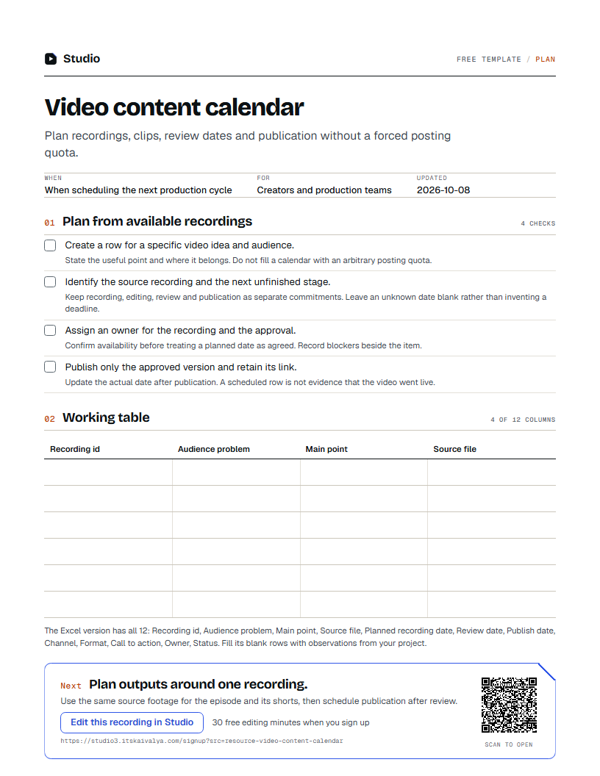
Plan recordings, clips, review dates and publication without a forced posting quota.
- WhenWhen scheduling the next production cycle
- ForCreators and production teams
- Inside12 columns
PDF, A4, 1 page · No email needed
00:10What's inside
12 columns, ready to fill in.
Fill the blank rows in the Excel version, or print the PDF. Keep observations tied to your own project.
| Recording id | Audience problem | Main point | Source file | Planned recording date | Review date | Publish date | Channel | Format | Call to action | Owner | Status |
|---|---|---|---|---|---|---|---|---|---|---|---|
Swipe the table sideways to see every column.
How to use it
- Create a row for a specific video idea and audience.State the useful point and where it belongs. Do not fill a calendar with an arbitrary posting quota.
- Identify the source recording and the next unfinished stage.Keep recording, editing, review and publication as separate commitments. Leave an unknown date blank rather than inventing a deadline.
- Assign an owner for the recording and the approval.Confirm availability before treating a planned date as agreed. Record blockers beside the item.
- Publish only the approved version and retain its link.Update the actual date after publication. A scheduled row is not evidence that the video went live.
00:20Next on your list
See all templates
More free templates.
-
3 checks · 22 fields
Video editing brief
Give an editor the audience, point, source files, delivery format and review constraints. -
7 checks · 11 fields
Podcast interview plan
Plan an opening, a useful question sequence and an ending without scripting the guest. -
3 checks · 18 fields
Video style sheet
Record the recurring visual and editorial choices an editor needs to match.
00:30Your next step
Start with your recording
Edit this recording in Studio
30 free minutes · No card
Plan outputs around one recording.
Use the same source footage for the episode and its shorts, then schedule publication after review.
Free tool for this step: Content repurposing planner