
Cuts the dead air
Long pauses, false starts and repeated answers come out. The last full take stays.
Upload the whole conversation, pauses and false starts included. Studio cuts the dead air, adds word-timed captions and makes vertical clips from the best answers.
Long pauses, false starts and repeated answers come out. The last full take stays.
Timed to each word, with your brand color on the words that matter.
A card can pull out a number, a list or a line a guest said. Only words from the episode.
Vertical clips for Reels, Shorts and TikTok, cut from the same upload.
Finding the pauses and retakes is Studio's job. Pick Podcast or interview when you set up, so it knows two people are talking.
Free uploads can be up to 2 GB. Paid plans take up to 30 GB.
Pick Both when you set up, or ask for clips once the episode is done. Each one is a moment that stands on its own, about 20 to 58 seconds, with its own page and its own changes.
Clips from an episode you already paid for use no extra minutes. If an episode has fewer moments that stand on their own, you get fewer clips.
A one-hour episode uses 60 minutes. Changes, clips and a failed edit cost nothing more.
| Plan | Price | Recording | Upload |
|---|---|---|---|
| Free | $0 | 30 min once | 2 GB |
| Creator | $10/mo | 5 hours | 8 GB |
| Pro | $50/mo | 33 hours | 20 GB |
| Studio Business | $100/mo | 83 hours | 30 GB |
File size depends on quality, not only length. Check a big file with the upload size check.
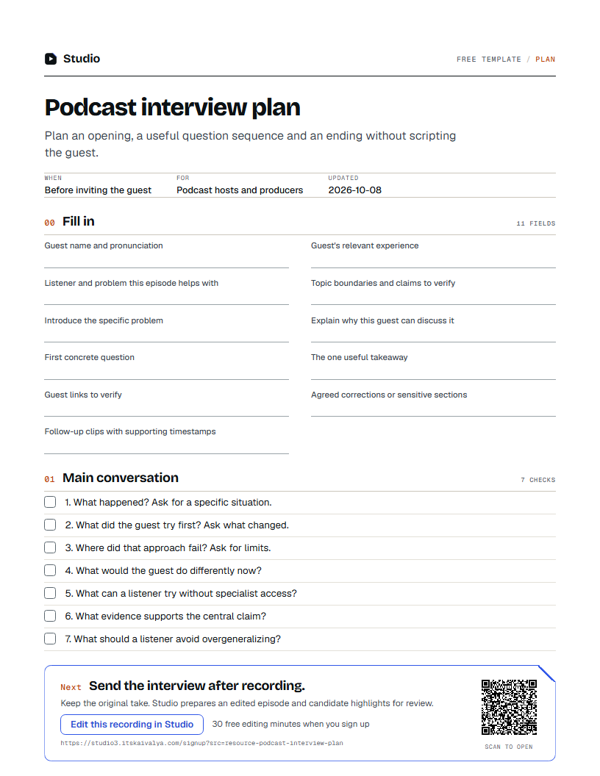
Plan an opening, the questions and an ending without scripting your guest.
Get the free planYes. Upload the MP4 file your call app saves, the same way as any other recording.
Paste your show notes or a script when you upload. Studio uses them for names and terms in the captions. Check the captions once before you post.
Up to 3 hours in one upload, if your minutes cover it. The file has to fit your plan's upload size, from 2 GB on Free to 30 GB on Studio Business. The upload size check tells you if yours fits.
A stopped or failed edit costs nothing, so you can fix the file and try again.
You. No other customer can hear or find it, and Studio's operator opens it only to keep the service running or to help you when you ask. It is kept for as long as your plan says, from 7 days on Free to 365 days on Studio Business. Download what you want to keep.